
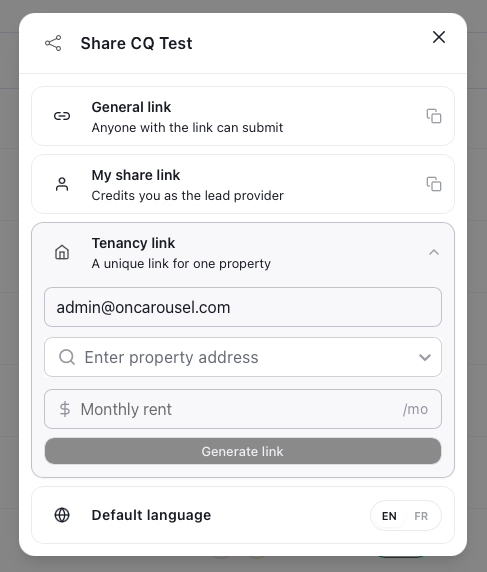
Carousel Portal The Share panel — three link types, direct email, plus a default language.
Which way should you share?
General link
Anyone with the link can submit. Best for a website button, a marketplace listing, or a QR code — one link, many applicants.
My share link
Credits you as the lead provider. Same flow, but submissions are attributed to you — useful for tracking who brought the deal in.
Tenancy link
A unique link for one property. You add your own email (as the person requesting the information), the property address, and the monthly rent, then Generate link — ideal for screening a tenant on a specific unit.
Email an applicant
Send the application directly by email. Enter the applicant’s email address and Carousel sends them an invitation to start their application — no link copying needed.
Set the default language (EN / FR) before you copy the link so applicants open the flow in the right language.