
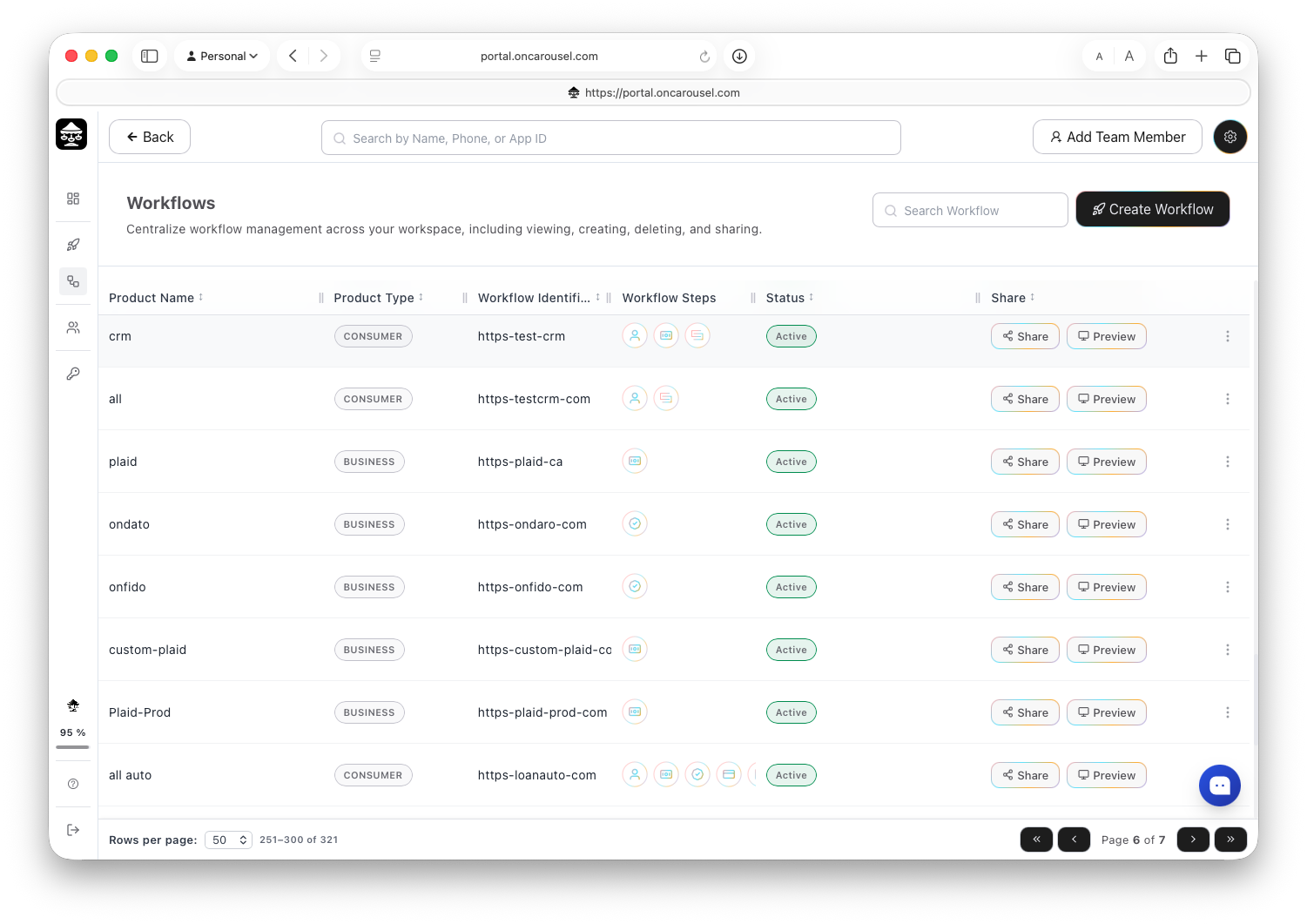
Carousel Portal The Workflows list.
What you're looking at
Status
Active = live and accepting submissions; Disabled = taken offline without deleting it.
Share & Preview
Preview lets you see the link in action, exactly as an applicant would experience it. Share lets you customize the way you send the workflow out (§04).
Workflow steps
The flow's steps show as icons — hover over any step to see what's included in that workflow. Alongside them you'll find the workflow's identifier (a short code that tags every submission) and product type.