
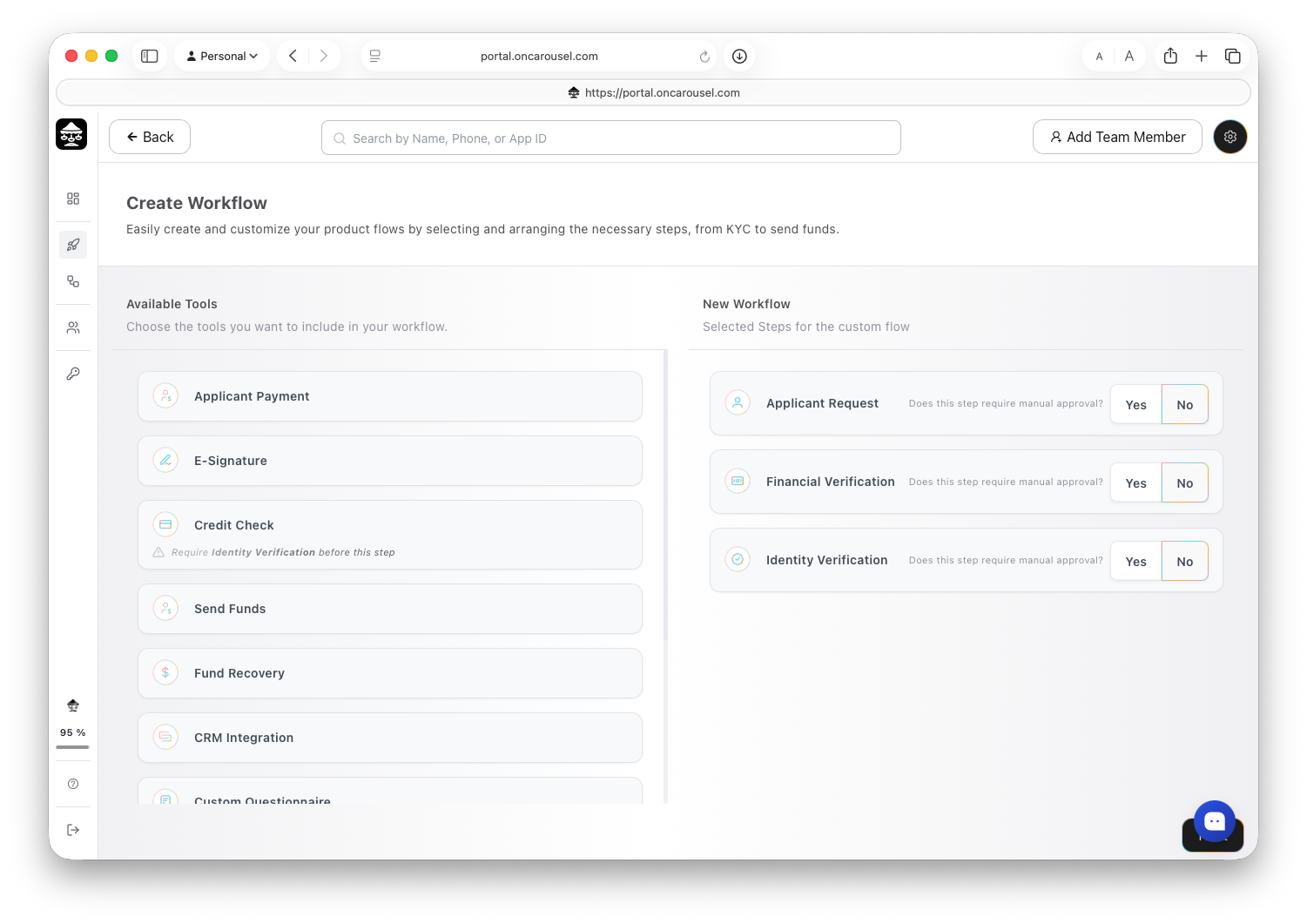
Carousel Portal The drag-and-drop workflow builder.
Build it in the Portal
- Log in to the Carousel Portal.
- Navigate to Dashboard → Workflows → Create New Workflow.
- Use the drag-and-drop builder to assemble your flow from the steps below.
- Customize and white-label the workflow — branding, copy, and step order — no code needed.
What you can include
A workflow is assembled from the steps below. Mix and match whatever your application needs — each step links to more detail.
| Step | What it does |
|---|---|
| Applicant request | Collects key details about the applicant’s request, such as loan amount, purpose, and requested terms. |
| Applicant payment | Collects the verification fee from the applicant to initiate the workflow and cover the cost of running verification services. |
| Identity verification | Verifies the applicant’s identity using government-issued ID and biometric or document checks to prevent fraud. |
| Know Your Business (KYB) | Verifies a business’s identity, ownership, and registration details to confirm it is legitimate and authorized to transact. |
| Financial verification (IBV) | Connects to the applicant’s bank account to retrieve income, cash flow, and transaction data for financial assessment. |
| Credit check | Retrieves the applicant’s credit report — score, tradelines, and repayment history — with consent. |
| Alternative credit bureau | Retrieves credit insights from alternative credit data sources. |
| Background check | Searches available records to identify criminal history or risk indicators associated with the applicant. |
| Court & eviction checks | Queries court and legal databases to surface filings, disputes, or other relevant legal activity. |
| Fraud, AML & compliance | Screens applicants against sanctions, AML, and fraud watchlists. |
| E-signature | Enables the applicant to review and electronically sign required agreements and disclosures. |
| Custom questionnaire | Collects additional, configurable self-reported information from the applicant to support decision-making. |
| Self-declaration | Gathers applicant-provided inputs and disclosures to complement verified data and support a complete profile. |
Need results in your own system? Add a CRM Integration step and follow the Webhook guide.
Choose who pays
Every workflow is configured with one of two payment structures:
- Business pays — your business covers the verification costs; applicants complete the workflow at no charge.
- Applicant pays — the applicant prepays for all the verifications they are about to undergo. They own their verified profile, choose whether to share it with you — or with others — and can request a refund if there are issues with their workflow.
Fees are charged per completed billable step — see Pricing and usage.
Share it
When the workflow is ready, preview it end to end, then send it out — see Share a workflow.