
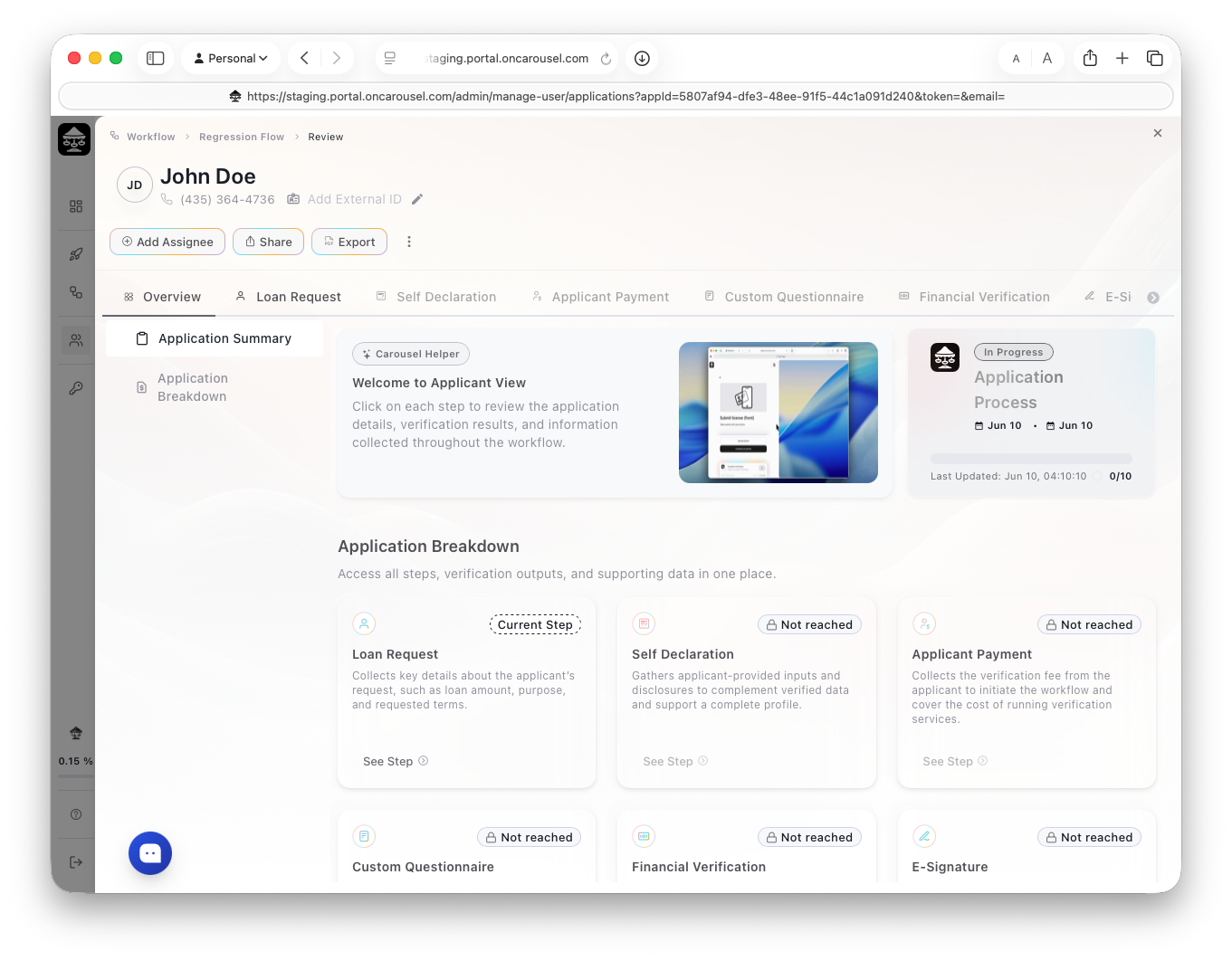
Carousel Portal The review view — application summary and step-by-step breakdown.
A few things worth knowing here:
Tabs = steps
Each tab is one step of the workflow. Click in to see the data and verification result for that step.
Step badges
Current Step marks where the applicant is now; Not reached means they haven't gotten there yet.
Add Assignee / Share
Assign the file to a teammate, or share it — right from the header.
The ⋮ menu
The kebab (top-right) holds Notes, Activity, Send to a Webhook, and Export as PDF (§07).